


Sign Up
To load any dataset from Kaggle you first need to sign-up for an account. It’s free. On Kaggle, you can browse for a dataset of interest and manually download it on your machine.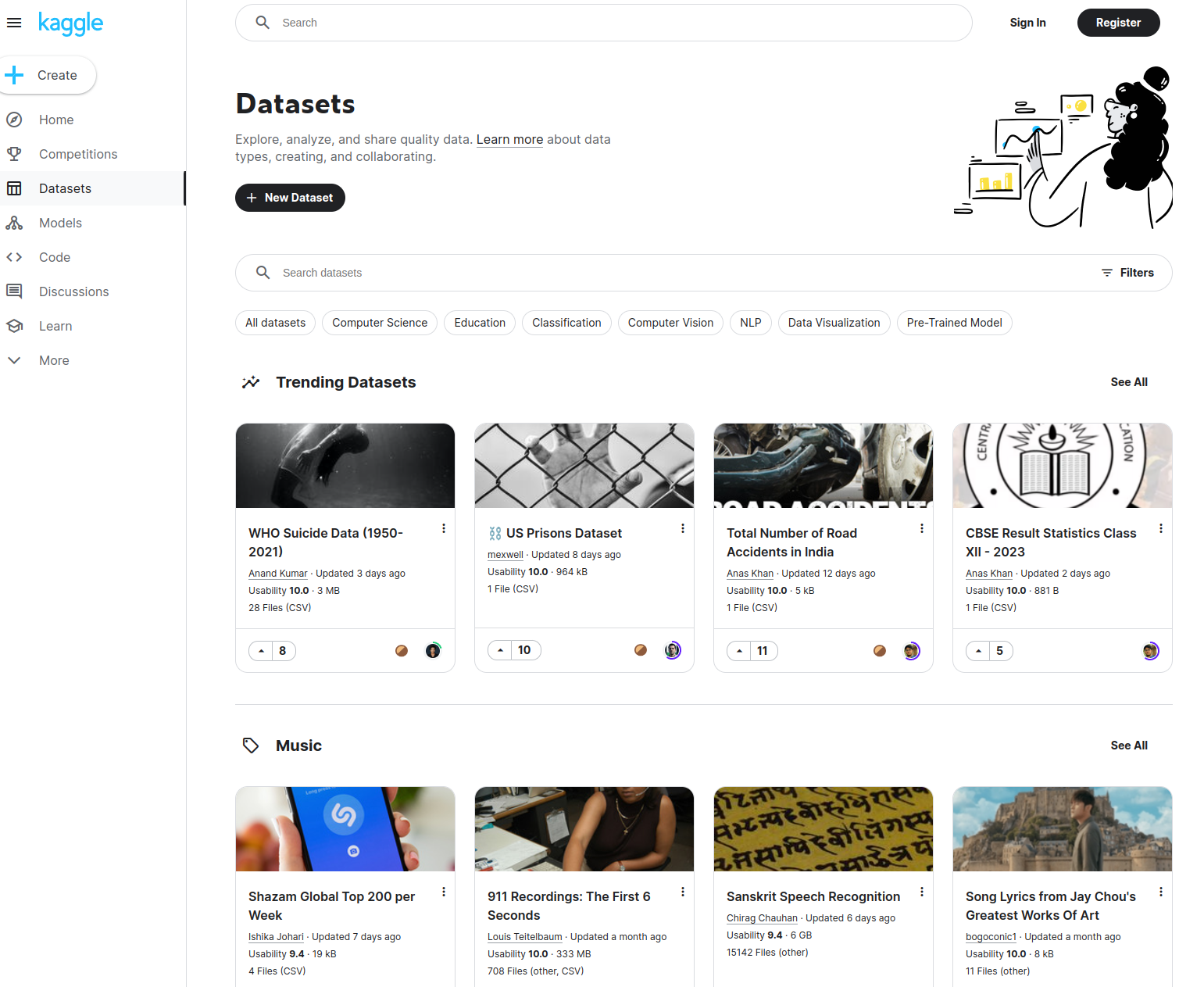
Kaggle API
Alternatively, you can use the Kaggle API to programmatically download any dataset using Python. To install the Kaggle API runkaggle.json, a file containing your API credentials.
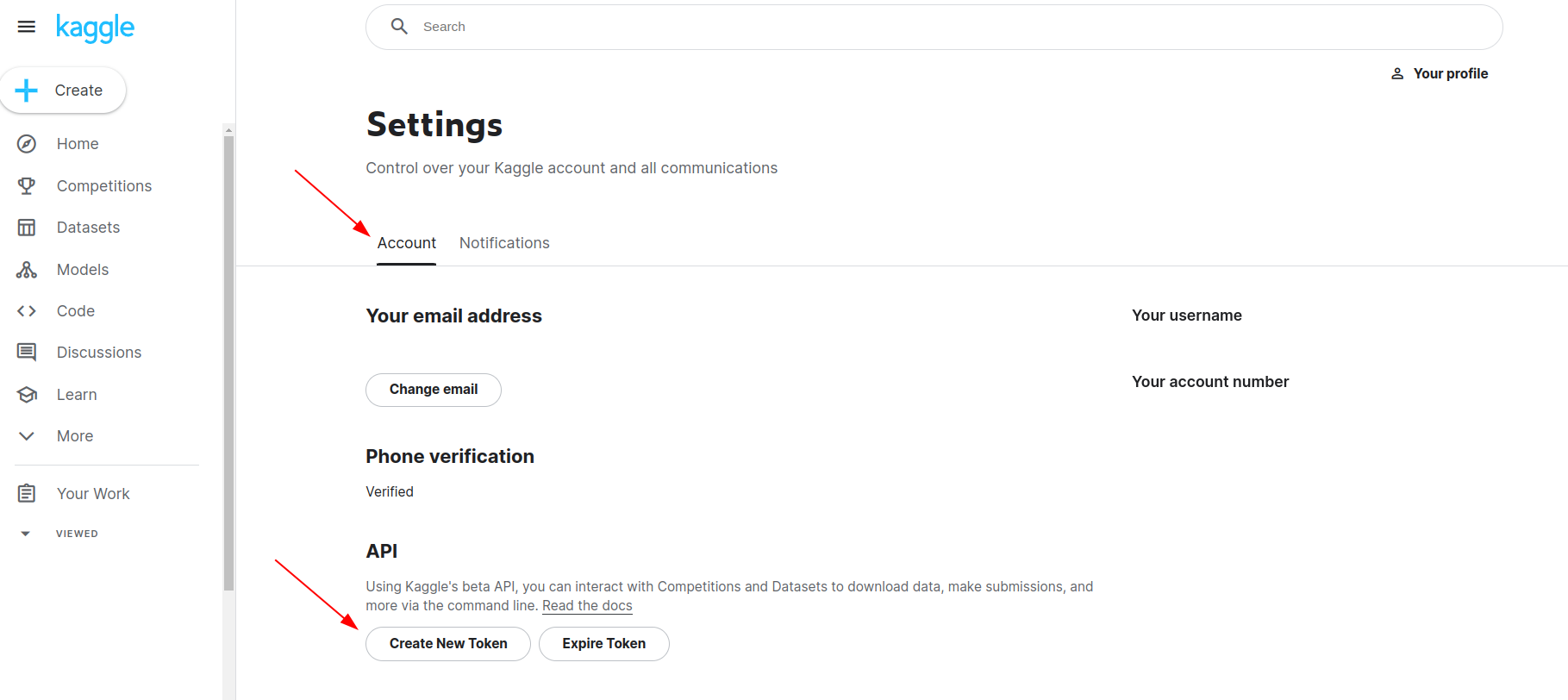 Place this file in the location
 ~/.kaggle/kaggle.json (on Windows in the location C:\Users\<Windows-username>\.kaggle\kaggle.json. Read more here.
If the setup is done correctly, you should be able to run the Kaggle commands on your terminal. For instance, to list Kaggle datasets that have the term “computer vision”, run
Download Dataset
Let’s say we’re interested in analyzing the RVL-CDIP Test Dataset. You can head to the dataset page click on the ‘Copy API command’ button and paste it into your terminal.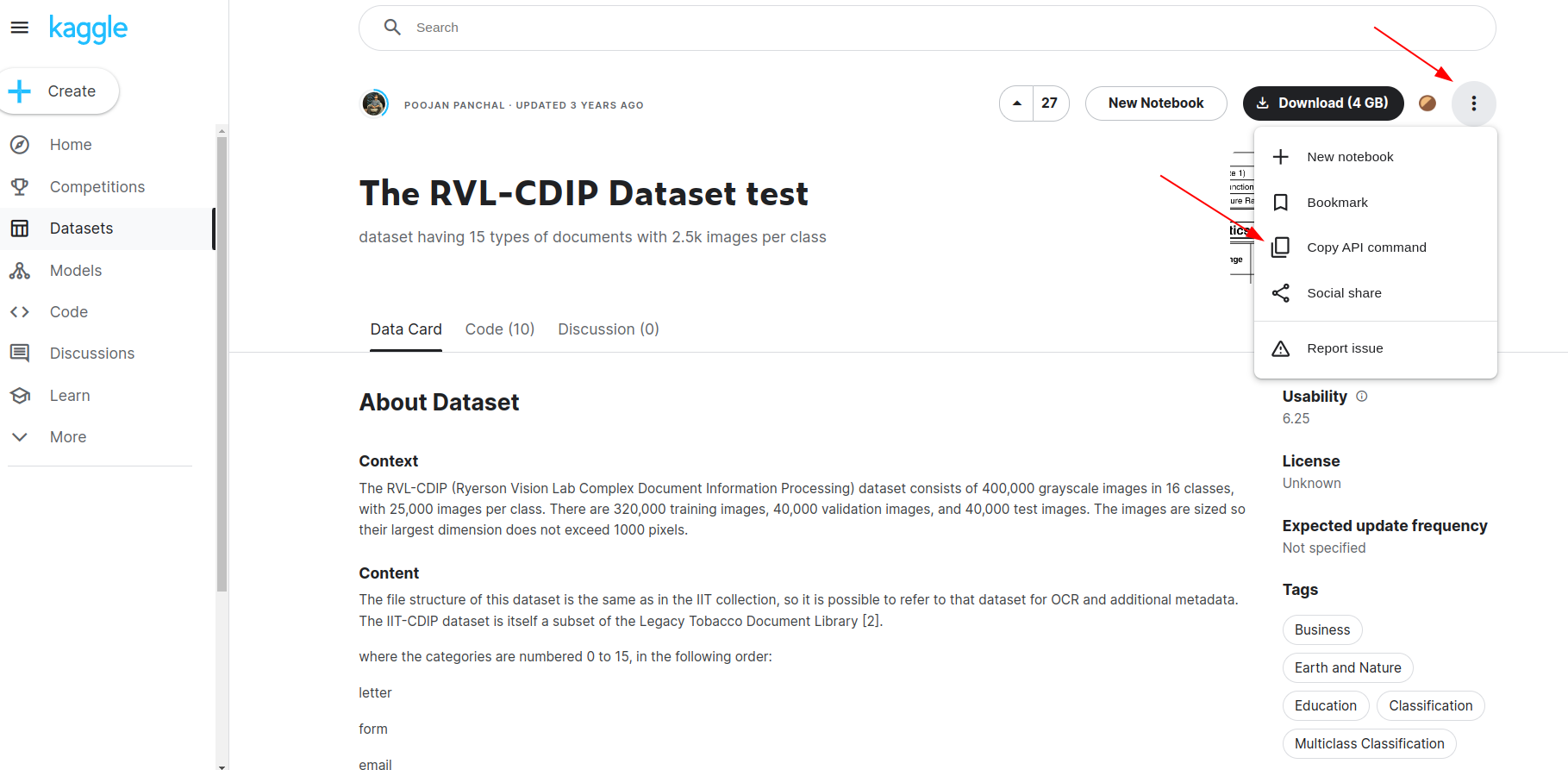
test/ which contains all the images from the dataset.
Install fastdup
Now that we have our dataset in place, let’s install fastdup.Load Annotations
📘 Info This step is optional. fastdup works with both labeled and unlabeled datasets. If you decide not to load the annotations you can simply run fastdup with just the following codes.Although you can run fasdup without the annotations, specifying the labels lets us do more analysis with fastdup such as inspecting mislabels. Since the dataset is labeled, let’s make use of the labels and feed them into fastdup. fastdup expects the labels to be formatted into a Pandas DataFrame with the columns
filename and label.
Let’s loop over the directory recursively search for the filenames and labels, and format them into a DataFrame.
Run fastdup
To fastdup with the annotations DataFrame, let’s point theinput_dir to the image folders and annotations to df DataFrame.
Broken Images
Let’s inspect the dataset to find if we have any broken images.Duplicates
Let’s visualize the duplicates in a gallery. To get a detailed DataFrame on the duplicates/near-duplicate found, use thesimilaritymethod.
distance score. A distance of 1.0 is an exact copy, and vice versa.
👍 Tip That’s a lot of (1392) duplicates! Not cool for a test dataset. Using fastdup we just conveniently surfaced these duplicates for further action. Typically, we’d just remove these duplicates from the dataset as they do not add value. But we will leave this step to you as the data curator.
Image Clusters
fastdup also includes a gallery to view image clusters.👍 Tip The components gallery gives a bird’s eye view of how similar images exists in your dataset as clusters.
Statistical Gallery
View the dataset from a statistical point of view to show bright/dark/blurry images from the dataset.👍 Tip Not all bright/dark blurry images are useful. In this dataset, we found documents that are totally black or white. We’ll leave it to you to decide whether these images are useful.View DataFrame with image statistics.
Mislabels
Since we ran fastdup with labels, we can inspect for potential mislabels. Let’s first visualize it via the similarity gallery.👍 Tip In the similarity gallery fastdup surfaces the images that are visually similar to one another yet has different labels.
Wrap Up
That’s it! We’ve just conveniently surfaced many issues with this dataset by running fastdup. By taking care of dataset quality issues, we hope this will help you train better models. Questions about this tutorial? Reach out to us on our Slack channel!VL Profiler - A faster and easier way to diagnose and visualize dataset issues
The team behind fastdup also recently launched VL Profiler, a no-code cloud-based platform that lets you leverage fastdup in the browser. VL Profiler lets you find:- Duplicates/near-duplicates.
- Outliers.
- Mislabels.
- Non-useful images.
👍 Free Usage Use VL Profiler for free to analyze issues on your dataset with up to 1,000,000 images. Get started for free.Not convinced yet? Interact with a collection of dataset like ImageNet-21K, COCO, and DeepFashion here. No sign-ups needed.